
Australian Resume Templates.
Make One Yours.

Choose a clean, professional layout that brings your experience, skills and achievements into focus for Australian employers.

A practical guide

How to choose an Australian resume template

The right layout makes your experience easier to understand, but it cannot replace a clear account of what you have done. Use these three checks as you compare templates.

01

Start with your experience

Minimal keeps work history in a single column; Professional gives a longer career history a structured header. Compare the previews with your own roles, qualifications and dates in mind, not just the colours.

02

Follow the job advertisement

Modern, Executive and Creative give your details a different visual emphasis. Whichever layout you choose, make job titles and dates easy to find. Follow the employer’s file-format instructions; no template can guarantee how every hiring system reads a resume.

03

Make the content yours

A layout is only the starting point. Describe work you actually did, use relevant wording from the job ad naturally, and include results only when you can support them. Edit and preview your resume before sending it.

Compare the five layouts

Choose for the content you need to present, not just your job title. These are layout trade-offs, not a ranking or a promise that a hiring system will accept a particular design.

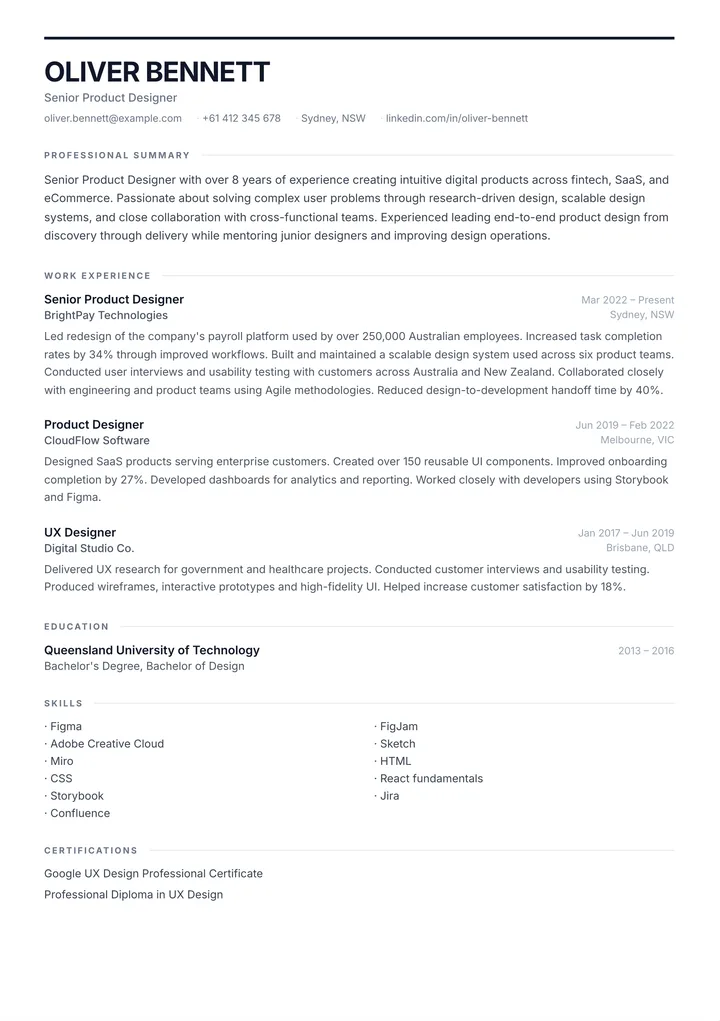
Structure
Single-column work history with understated headings and compact skills.
Consider it for
A straightforward starting point when you want experience and dates to be easy to follow.
Check before sending
Keep bullets concise and check the reading order of skills when copying text from the exported PDF.


Professional

Use Professional
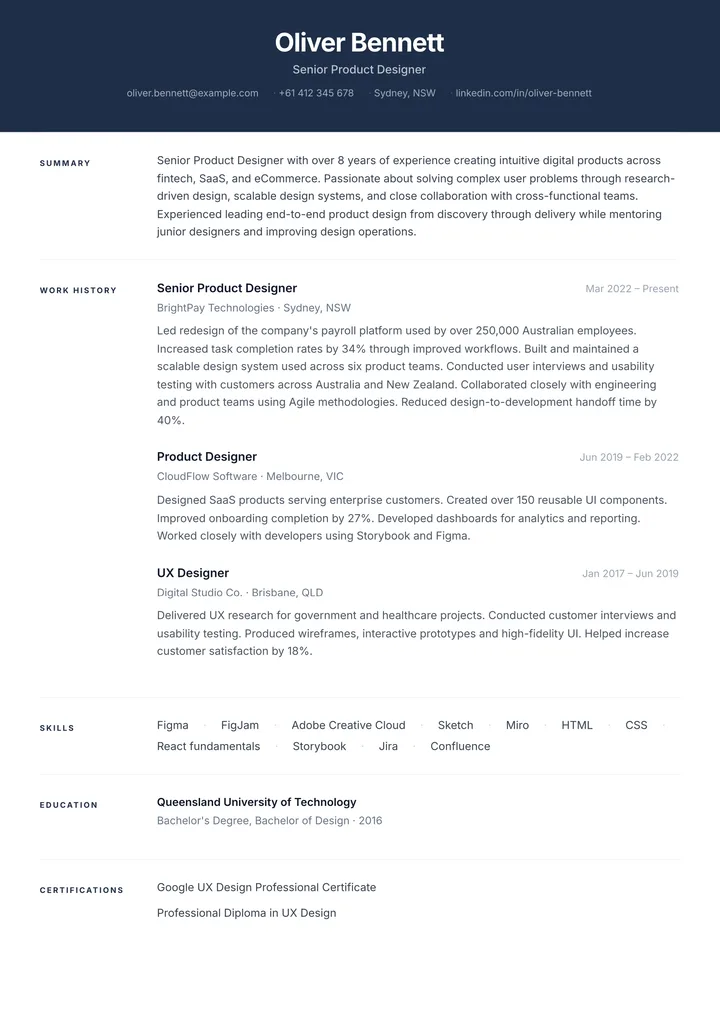
Structure
Full-width navy header with section labels beside the main content.
Consider it for
A clear separation between sections when you have several roles or qualifications to organise.
Check before sending
The label column leaves less room for content. Preview longer job titles and page breaks.
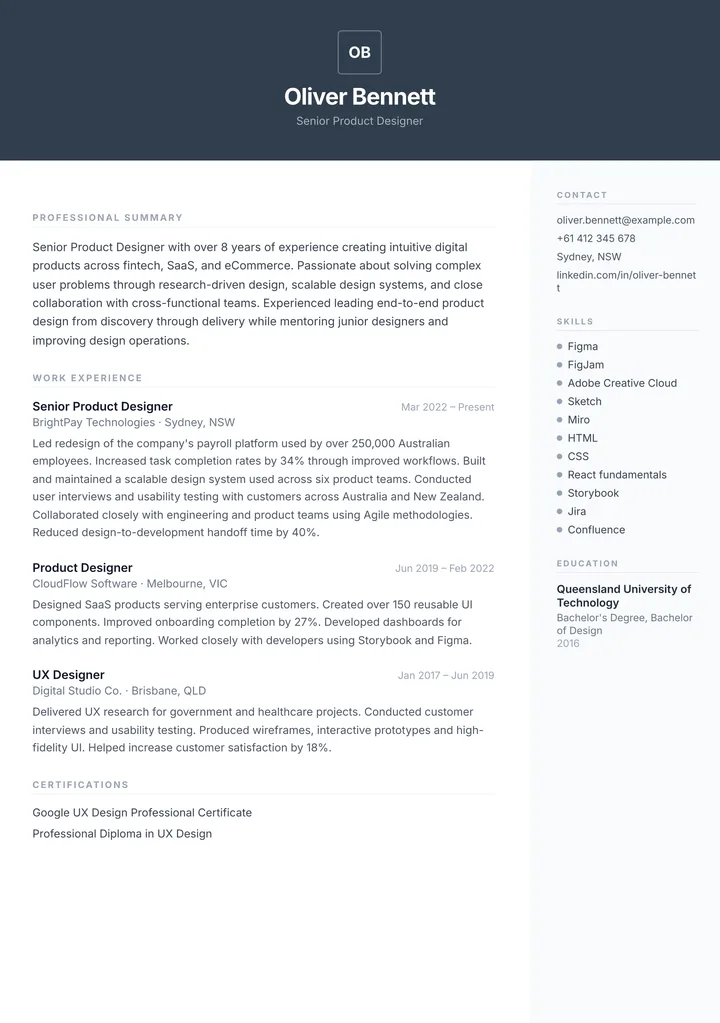
Structure
Dark header and monogram, with experience in the main column and supporting details in a sidebar.
Consider it for
Separating a concise skills and education section from your work history.
Check before sending
Long skills or qualification lists can crowd the sidebar. Check both fit and copied-text order.
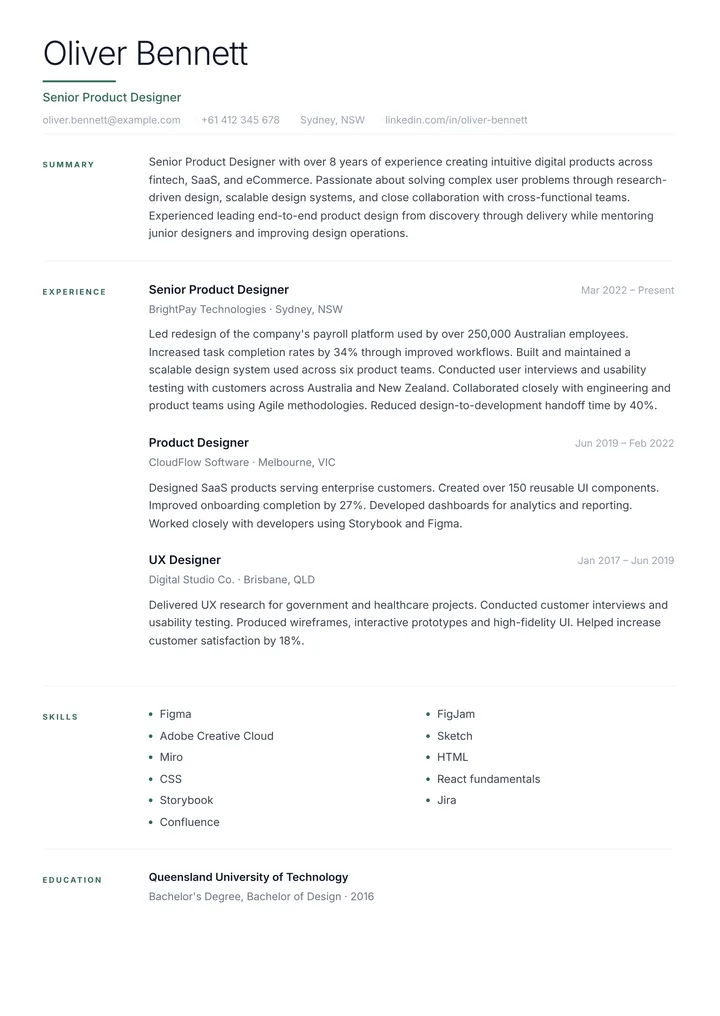
Structure
Teal accents, prominent headings and generous spacing between sections.
Consider it for
Giving selected leadership responsibilities or project outcomes room to read clearly.
Check before sending
Extra spacing can increase page count. Keep older or less relevant roles brief.
Structure
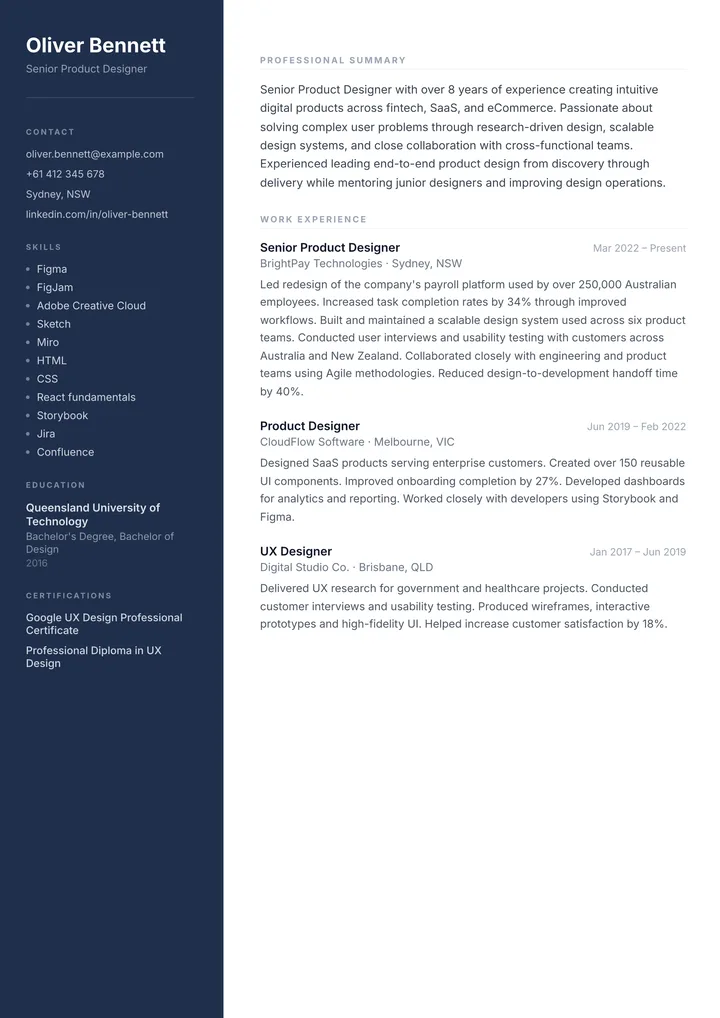
Two columns with a navy contact, skills and education sidebar beside the main experience section.
Consider it for
A visually distinct layout when your supporting details fit comfortably in a compact column.
Check before sending
The sidebar limits line length. Check long contact details and PDF reading order before submitting.

If straightforward reading order is your priority, start by comparing Minimal with your own content. Always follow the employer’s file requirements. See our formatting and length guidance and ATS-readability advice. Selecting and copying text from your PDF is a useful check, not a guarantee of compatibility with every hiring system.

See how others might structure theirs

Our fictional examples show how summaries, skills and work experience can be organised for different roles. Adapt the ideas to your own background rather than copying their achievements.

Put your best career story forward

Built for job seekers applying to leading Australian employers

Build My Resume

Our customers have been hired by*:

CommBankTelstraCanvaAtlassianBHPWoolworthsQantasXeroCommBankTelstraCanvaAtlassianBHPWoolworthsQantasXero

Frequently asked questions